June 13, 2026
cosmicut 3.0 dropped
CosmiCut 3.0 is out with 3D format import/export, batch spatial conversion, and a much better export flow.
CosmiCut v3.0 is now available for iPhone, iPad, Mac, and Apple Vision Pro!
This one is all about making CosmiCut a better citizen of the weird and wonderful 3D video world.
Spatial Video is still CosmiCut’s bread and butter. It’s the canonical Apple, and Apple Vision Pro, 3D video format. But a lot of 3D video exists in older, more portable layouts: side-by-side, top/bottom, half-width side-by-side. CosmiCut 3.0 can now speak more of those dialects (by which, I mean, importing from and exporting to).
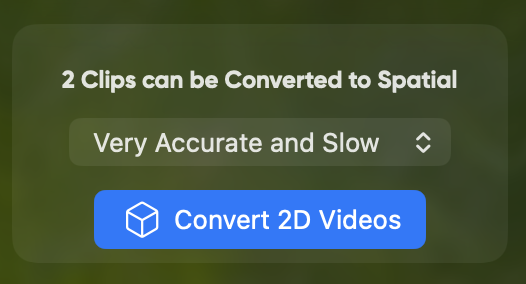
Plus, this release also includes batch 2D to 3D ML-powered conversions. Meaning you can create and set a job to convert all of the 2D videos at once from the Project Inspector or as part of the new export flow.
CosmiCut v3.0 has three main big changes:
Import from, and export to, more 3D formats
When you import a video, CosmiCut will now try to detect common packed 3D layouts, like side-by-side and top/bottom. If it recognizes one, it automatically converts that video into a Spatial Video during import.
That means you can bring in more 3D footage from outside the Apple Spatial Video bubble and still edit it with CosmiCut’s normal spatial tools. Automatically.
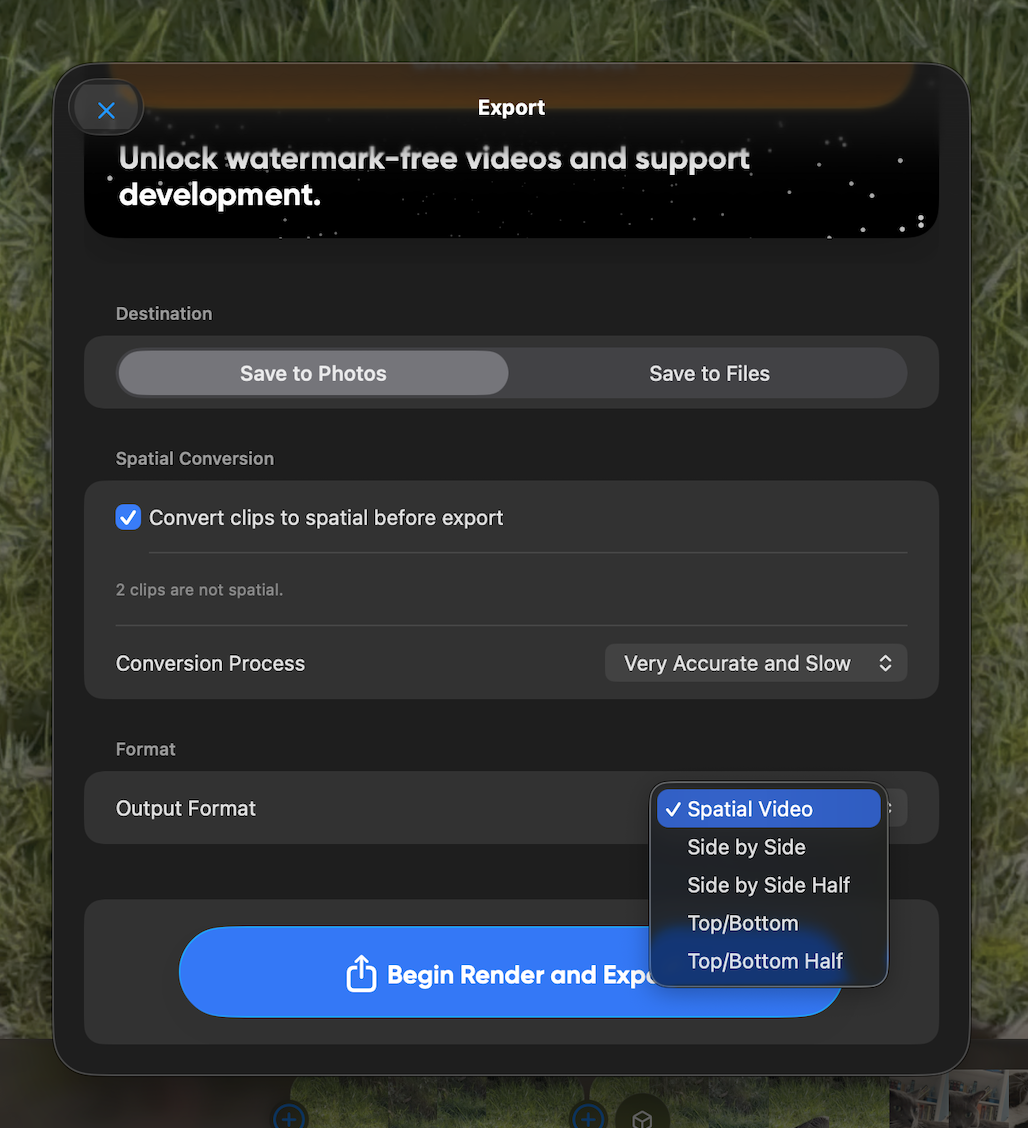
Export got the other half of that work. You can still export Spatial Video, but now you can also choose:
- Side by Side
- Side by Side Half
- Top/Bottom
- Top/Bottom Half
Batch spatial conversion
CosmiCut has been able to convert individual 2D clips into spatial videos for a while. In 3.0, you can do that across a whole project from the Project Inspector.
Pick the conversion process, tap Convert 2D Videos, and let the app work through the timeline. This is especially nice for projects where you have a mix of 2D footage, imported images, and already-spatial clips.
The new export flow also has an option to run conversions as part of render: Convert clips to spatial before export. So if you get to the end and realize your project is not fully spatial yet, you do not have to back out and manually convert everything first.
Export has grown up a bit.
The new export sheet gives you the important choices in one place:
- where the export should go: Photos or Files
- whether non-spatial clips should be converted before export
- which conversion process should be used
- which output format should be rendered
Some under-the-hood work, too
This update required a new conversion path in both directions: packed 3D video into Spatial Video, and Spatial Video back out into packed 3D video. There is also some detection logic for common filenames and video layouts, plus frame inspection for cases where the filename is not helpful.
Thankfully, Apple has great documentation around going between Spatial Video and packed frame approaches: Converting side-by-side 3D video to multiview HEVC and spatial video
I will probably write a nerdier follow-up about that pipeline, because it involved a fun amount of AVFoundation, pixel buffers, stereo metadata, and me muttering at videos that looked correct but were secretly not correct.
For now: CosmiCut 3.0 is out, it handles more 3D formats, and exporting is much less cramped.
As always, if you try it and something feels weird, please let me know. Weird is where the next update usually starts.