October 1, 2026
cosmicut 4.0: a little more control over time
Clip speed and reverse controls, motion smoothing, per-clip volume, and less timeline busywork in CosmiCut 4.0.
Sometimes a clip needs a little more time to breathe. Sometimes you want to move things along. And sometimes you just want to see the whole thing run backward.
CosmiCut 4.0 adds new timing controls for your clips, along with individual clip volume adjustments, scroll-wheel scrubbing on Mac, and less waiting when you return to the timeline after an edit.
slow it down, speed it up, reverse it
The new Timing controls let you change a clip’s speed from 0.1× to 2×, or reverse its direction with the Reverse Clip toggle.
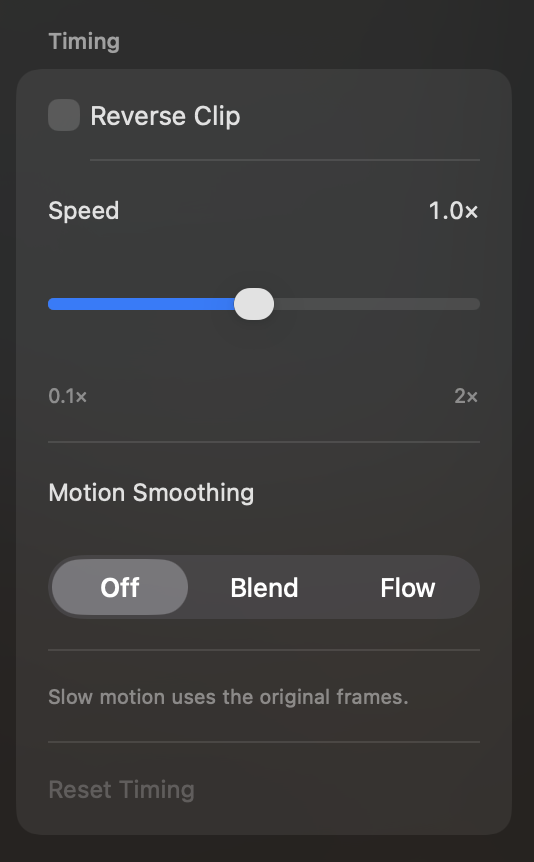
For slow motion, you can also choose between Blend and Flow motion smoothing, or leave smoothing Off to use the original frames. Try the options with your footage and choose the look you like.
give each clip its own volume
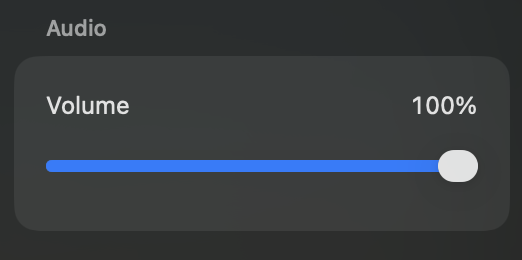
You can now adjust the volume of each clip individually.
If one shot is much louder than the next, you can bring it down without lowering the audio for everything else.
scroll through your timeline
On Mac, the mouse scroll wheel now scrubs the project time forward and backward.
less work when you come back from an edit
Previously, returning to the Project Timeline after editing a clip caused the whole timeline to re-render. In 4.0, only the thumbnails for the clip you just edited are regenerated.
Thanks for using CosmiCut and supporting our little team. Time now runs backward on request. Release numbers will continue moving forward.